Blocktomic — Features Guide
Deep dive into progress tracking, gamification, personalization, and more.
Progress & Stats
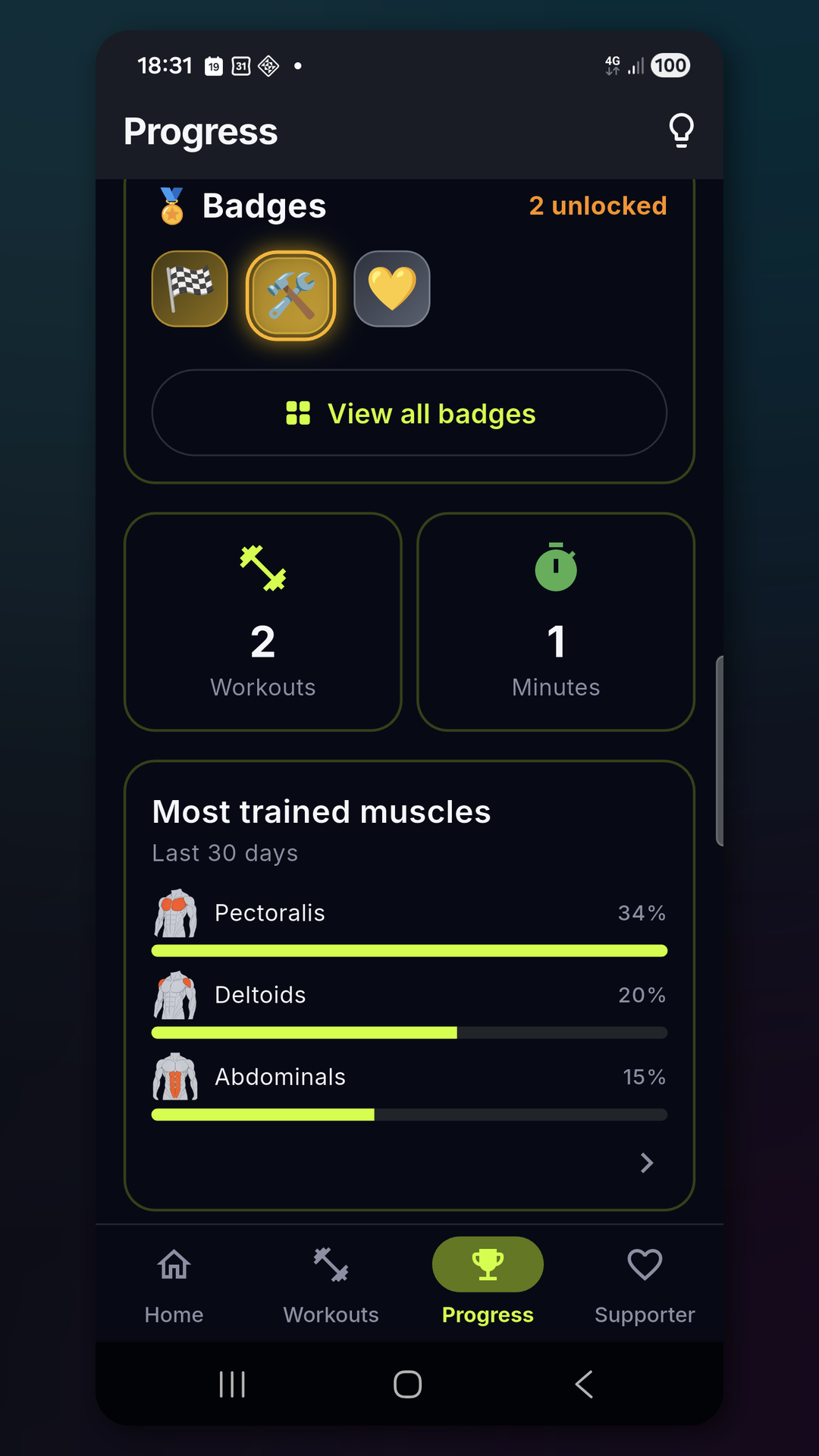
Dashboard
The Progress tab gives you an overview of your training:
- Streak counter: number of consecutive days you’ve worked out (with personal record).
- Total workouts: lifetime count of completed sessions.
- Training minutes: total minutes spent training.
- Badges: latest unlocked badge displayed prominently.
- Muscle distribution: your most-worked muscles (top 3) over the last 30 days, with a link to the trend screen.
Calendar Heatmap
A visual calendar shows your training days:
- Color intensity: more minutes = darker cell.
- Weekly view: current week breakdown.
- Monthly view: full month at a glance.
- Tap any day: opens a filtered history view for that day.
Trend Charts
The Trend Screen shows how your training evolves over time:
| Chart | What it shows |
|---|---|
| Quality trend | Average feedback rating per session over time |
| Distance trend | Total distance per session (running/cycling) |
| Duration trend | Total workout duration over time |
Use trends to spot patterns: are you training longer? Running farther? Feeling better?
History
Every completed and interrupted session is saved in History. Tap any session to see:
- Start time and date
- Duration (total) and net training time (without rest)
- Distance and average speed (if applicable)
- Per-block details:
- Block name and activity
- Actual duration / distance / reps completed
- Feedback rating (Easy / Normal / Hard / Not completed)
- Weight used (for gym blocks)
- Badges earned in that session
- Delete button to remove the session
Badges (Gamification)
Blocktomic’s badge system rewards consistency, volume, and exploration. There are 14 badges across 5 families.
Badge Families
Consistency — Train regularly
| Badge | Requirement | Tier |
|---|---|---|
| First Workout | Complete 1 workout | Gold |
| 3-Day Streak | Train 3 days in a row | Bronze |
| 7-Day Streak | Train 7 days in a row | Silver |
| 30-Day Streak | Train 30 days in a row | Gold |
Volume — Train a lot
| Badge | Requirement | Tier |
|---|---|---|
| 10 Workouts | Complete 10 total workouts | Bronze |
| 50 Workouts | Complete 50 total workouts | Silver |
| 100 Workouts | Complete 100 total workouts | Gold |
| 10 Hours Training | Accumulate 600 minutes | Bronze |
| 50 Hours Training | Accumulate 3000 minutes | Gold |
Quality — Train well
| Badge | Requirement | Tier |
|---|---|---|
| 5 “Good” in a Row | Rate 5 consecutive blocks as “Good” | Gold |
Exploration — Try everything
| Badge | Requirement | Tier |
|---|---|---|
| Explorer | Try every pre-built workout at least once | Gold |
| First Custom | Create your first custom workout | Gold |
Milestone — Special moments
| Badge | Requirement | Tier |
|---|---|---|
| Welcome Back! | Return after more than 30 days away | Gold |
| Supporter | Watch a rewarded ad or make a donation | Silver |
Unlocking Badges
Badges are checked automatically:
- After completing a workout
- When you open the Progress tab
- A notification animation plays when a new badge is earned
Personalization
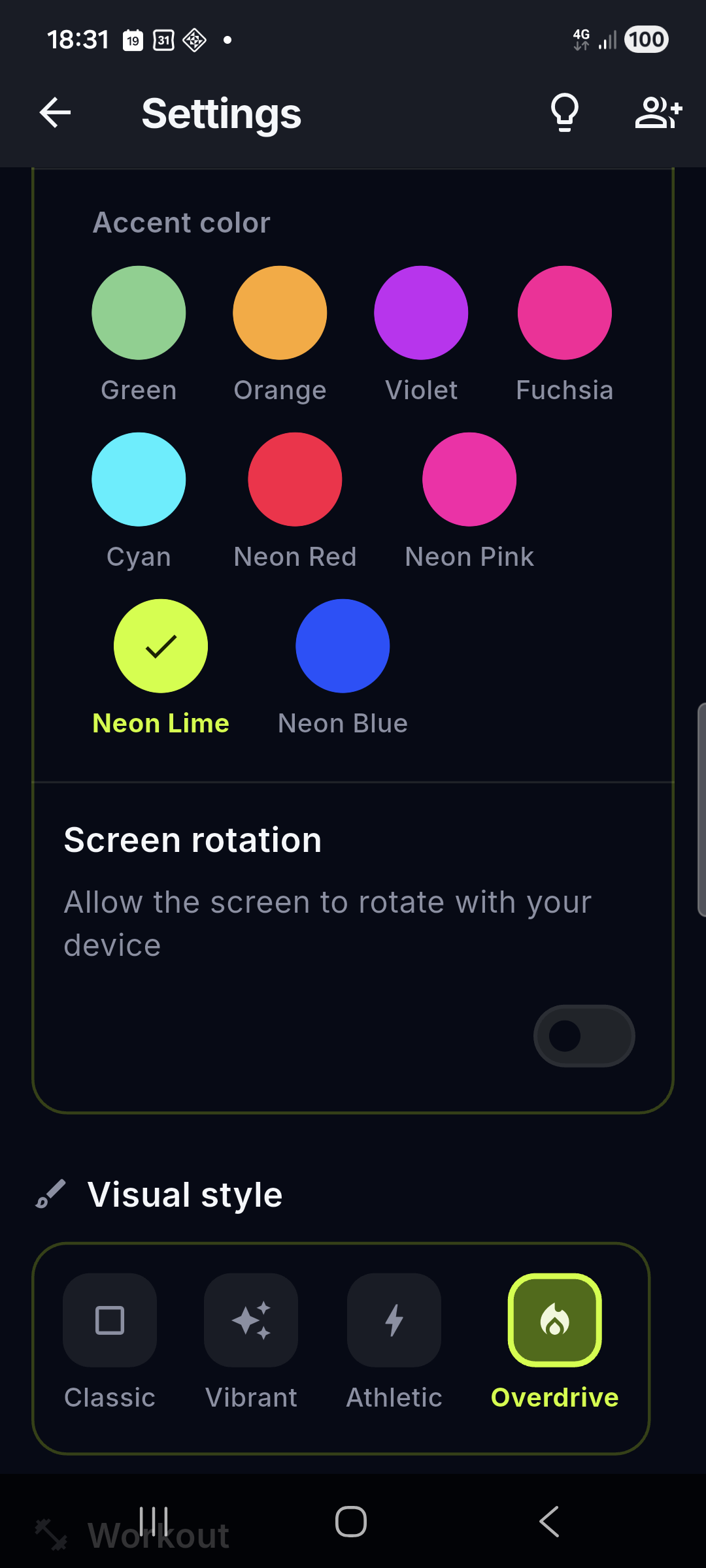
Visual Styles (4)
| Style | Feel |
|---|---|
| Classic | Clean, minimal, quiet-luxury surfaces |
| Vibrant | Bold, energetic colors |
| Athletic | Sporty, high-contrast — default |
| Overdrive | Intense, dramatic |
Accent Colors (9)
Default Cyan. Each accent ships with tuned light and dark palettes:
| Color | Light primary | Dark primary |
|---|---|---|
| Cyan (default) | #00B8D4 |
#00F0FF |
| Green | #2E7D32 |
#7ED18A |
| Orange | #E65100 |
#FFA726 |
| Violet | #6A1B9A |
#C724F5 |
| Fuchsia | #F50057 |
#FF0099 |
| Neon Red | #FF1744 |
#FF0A44 |
| Neon Pink | #FF0066 |
#FF00AA |
| Neon Lime | #7CB342 |
#CCFF00 |
| Neon Blue | #1A46D9 |
#1F51FF |
Activity Colors in Dark Theme
Every activity keeps its own color across timer, editor and history. In dark theme, activity backgrounds are automatically dimmed for readability — except neon activity colors, which stay vivid by design.
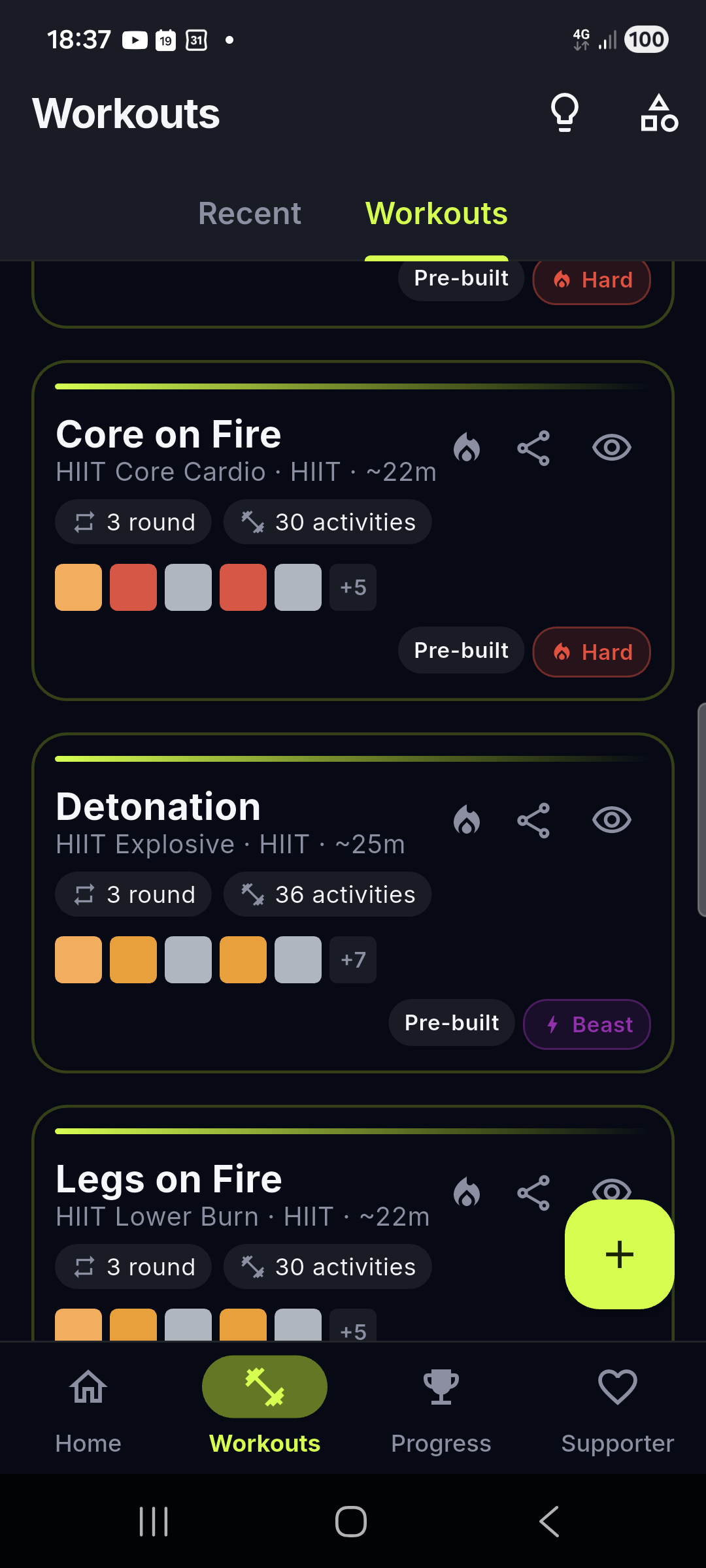
Fun Workout Names & Taglines
Pre-built workouts ship with two names: a classic one (Classic Tabata) and a catchy one (Phoenix Protocol).
- With fun names on (default), cards lead with the catchy title; the classic name plus an info line (
Family · estimated duration, or the planned distance for running workouts) sit underneath. - With fun names off, cards show the classic name with the same info line.
- Toggle it on the last onboarding page — with a live preview on real cards — or in Settings.
- Duplicating a pre-built workout keeps its catchy title and difficulty.
- Card durations are estimates: warm-up and cool-down count once, core blocks are multiplied by the number of rounds.
Theme
- System: follows your device theme (Light/Dark).
- Light: always light mode.
- Dark: always dark mode (great for low-light workouts).
Profile
From Settings > Profile, you can set:
- Name: displayed in the app.
- Photo: take with camera or choose from gallery.
- Weight: used for weight-based calculations (kg or lb).
- Height: used for BMI or future features (cm or ft/in).
- Birth date: used for age-based metrics.
Units
| Setting | Options |
|---|---|
| Distance | Kilometers (km) or Miles (mi) |
| Weight | Kilograms (kg) or Pounds (lb) |
All workout data converts automatically when you switch units.
Supporter System
Blocktomic is free and has no mandatory ads or subscriptions. The Supporter system is a voluntary way to support development.
How to Become a Supporter
Method 1: Watch a Rewarded Ad
- Go to Support tab.
- Tap Watch an Ad.
- Watch a 15–30 second video.
- Supporter badge activates for 15 days or 30 workouts (whichever comes first).
Method 2: PayPal Donation
- Go to Support tab.
- Tap Donate via PayPal.
- You are redirected to PayPal.Me in your browser.
- Complete the donation.
- Return to the app and confirm.
- Supporter badge activates for 30 days.
Supporter Badge
- Displayed in the Progress tab and profile area.
- Always visible: even when expired, it shows you’ve supported the app.
- When expired, the badge dims to indicate it’s inactive.
- Renew anytime by watching another ad or donating again.
Weekly Reminder
If your Supporter badge is expired:
- A weekly notification appears every Monday at 10:00 AM.
- Tapping the notification opens the Support tab.
- You can turn off reminder notifications in device settings.
Voice Coach (optional, opt-in) — 🚧 Coming soon
Not in the current release. When it ships you’ll enable it in Settings → Audio → Voice coach (off by default) and a short announcement will play between the
T-1beep and theGObeep — e.g.“Next: Burpees! 3, 2, 1, go go go!”. With Fun workout names on (default,Settings → Workout → Fun workout names) pre-built workouts use their catchy title (“Phoenix Protocol”, “Burpee Storm”); otherwise the classic name is spoken. The phrase is intentionally short (≤8 words, ≤1.2s) so it never covers theGO. If the voice is off or unavailable you still get the beeps.
Hands-free Rate (Supporter) — 🚧 Coming soon
Not in the current release. When your Supporter badge is active (rewarded ad → 15 days / 30 workouts, donation → 30 days, see above), you’ll be able to rate without touching the screen: say “easy” / “normal” / “hard” / “not done” (and the 10-language equivalents
facile/normale/duro…) and the app confirms with a short voice cue (“Easy, logged!”). Without Supporter the manual Rate button is always available; tapping the mic icon shows an upsell to the Supporter tab. The mic will be active only during a workout and never leaves the device.
Coming Soon
The Support tab also lists planned features coming to the app (marked with a lock until they ship):
- Cloud Backup — back up and restore your data across devices.
- Pro Mode — a premium tier with extra features.
- Custom Sounds — choose your own workout sounds.
- Form Coach — guidance on exercise form.
- Voice Coach — spoken cue between the T-1 beep and the GO beep.
- Hands-free Rate — rate a block by voice during the workout.
Already available: duplicating a pre-built workout with one tap is not “coming soon” — see WORKOUT_GUIDE.md for how to duplicate.
Goals & Focus
The Home screen personalizes your experience with two selectable areas:
Goals
A horizontal strip of goal tiles — Fat loss, Strength & muscle, Endurance and Mobility & posture — plus a “No goal” option. Selecting a goal:
- Filters and prioritizes the workouts recommended on Home.
- Pre-filters the library (a “Goal” type filter in the Workouts tab).
- Opens a goal detail screen when you tap the selected goal again or long-press it.
Focus
A strip of focus ChoiceChips — Full body, Arms & shoulders, Core, Legs, Glutes and Back. Selecting a focus:
- Adds a filtered “Workouts:
" button that jumps straight to a filtered library. - Combines with a goal to refine recommendations.
Goal and focus selections are stored locally and used only for recommendations and filtering.
Privacy Controls
Blocktomic is privacy-first by design.
What’s Always Local
These never leave your device:
- All workout data (history, sessions, blocks)
- Profile information (name, photo, weight, height)
- GPS tracking data
- App settings (theme, units, language)
Optional Data Sharing
You can opt in to share anonymous data:
- Firebase Analytics: helps understand which features are used most.
- Crashlytics: sends crash reports to help fix bugs.
Both are off by default. You control this:
- First launch: a consent dialog appears.
- Anytime: toggle in Settings > Privacy.
No personal data (name, email, location history) is included in analytics.
Permissions
| Permission | When Needed | Why |
|---|---|---|
| Location | Only during a GPS workout | Track distance per interval |
| Notifications | For weekly Supporter reminder | Remind to support the app |
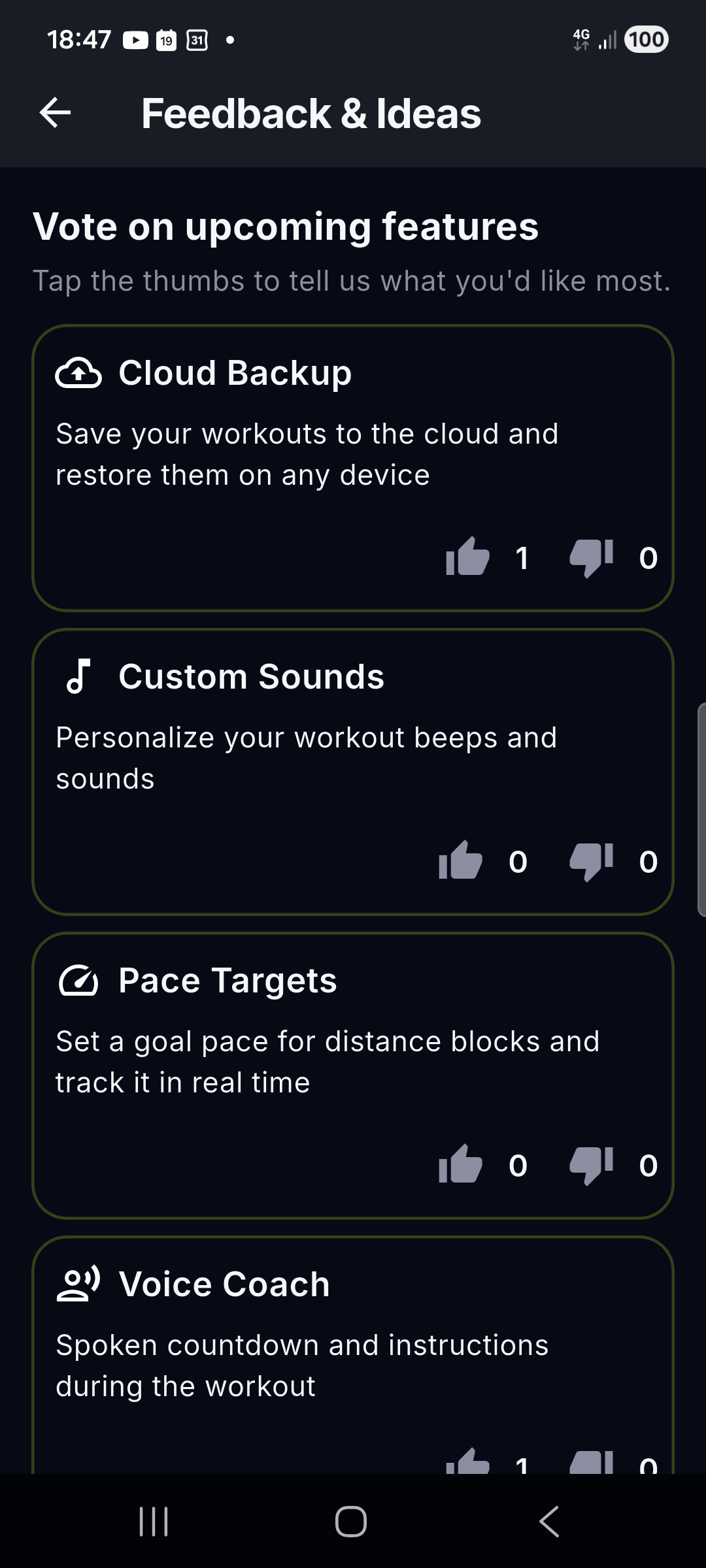
Feedback & Voting
In the Feedback & Ideas screen (reachable from the app-bar icon on many screens, including Settings and the Support tab):
- Vote on future features: see what’s planned and vote for what matters most (e.g. Pace Targets — per-block pace goals for running and cycling).
- Suggest ideas: propose new features for the community.
This data is stored in Firebase (anonymous). Your identity is never revealed.
Sharing Workouts (QR & links)
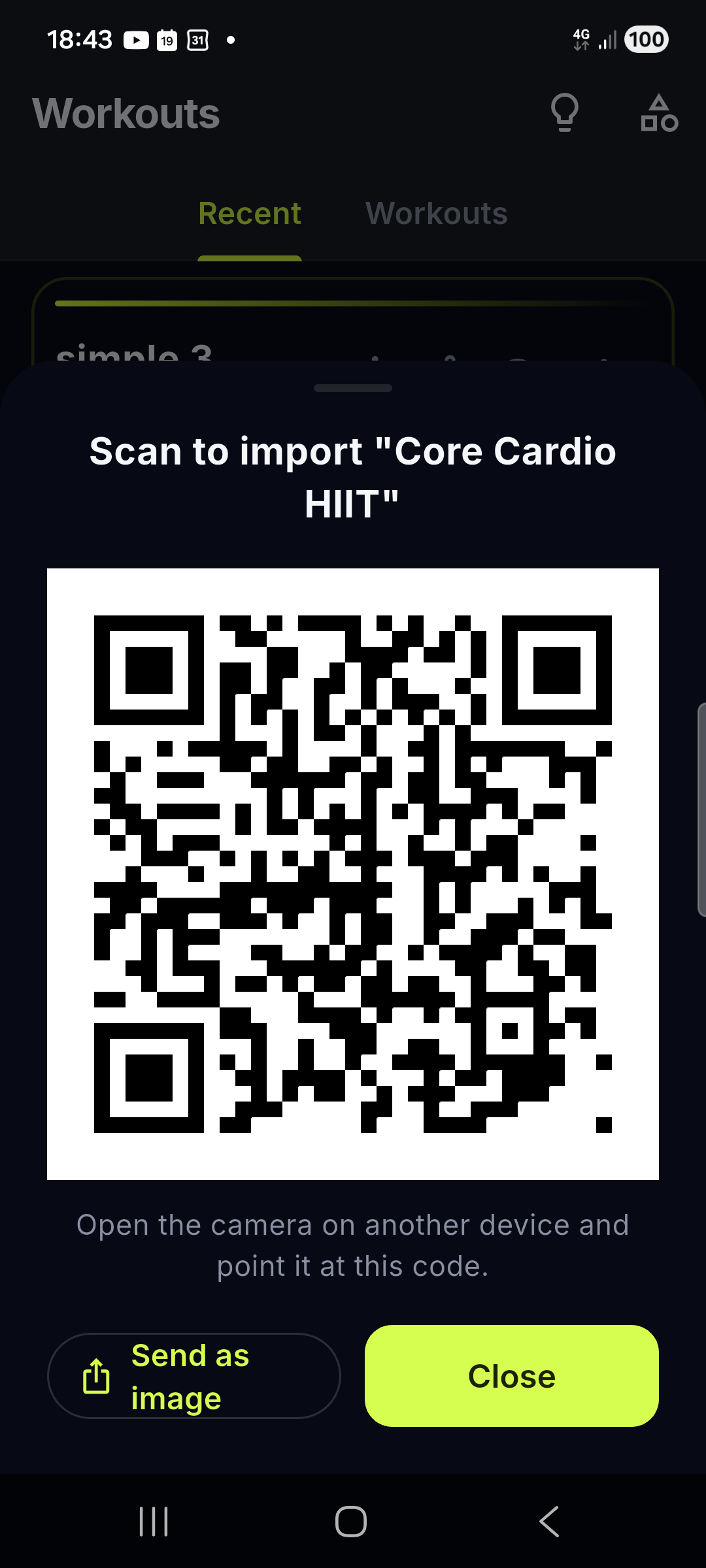
Any workout (pre-built or custom) can be shared:
- Tap the share button on a workout card or preview.
- A sheet opens with a QR code and a link.
- Send the link via any app (WhatsApp, Telegram, email…) or let a friend scan the QR with their camera.
- The recipient opens/scans it → Import Preview → taps Import: a new unique copy is created in their library (never overwrites existing).
Behind the scenes Blocktomic uses the best link available:
- Online: the anonymous workout payload is published and you get a short link to share.
- Offline / publish failure: the full workout is encoded in the link itself (
…?d=<payload>), so sharing always works.
The shared payload contains only the workout structure (blocks, times, distances) — no personal data.
Import Behavior
- The imported workout gets a new unique ID.
- Importing the same link multiple times creates separate copies.
- Activities are matched by ID. If an activity doesn’t exist on the recipient’s device, a fallback is used.